We buy everything we review ourselves — brands don't send us freebies or influence our opinions.
When you shop through our links, we may earn a commission at no extra cost to you. That's what keeps SRVogue honest and running.
Safety First Ear Thermometer Showing Wrong Temperature? Fix C to F Settings

Table of Contents
You take your child’s temperature, the reading comes back, and something immediately feels off. Either the number is way lower than you’d expect, or it’s so high it would have you heading straight to A&E — except your child looks and feels completely fine. You try again. Same result. Now you’re not sure whether to trust the thermometer or trust your instincts, and that’s a genuinely unsettling place to be when a child’s health is involved.
If your Safety First ear thermometer showing wrong temperature, the most likely explanation is simpler than you think — and it has nothing to do with the thermometer being broken. A Safety First ear thermometer wrong temperature reading is almost always caused by one of a handful of fixable issues, the most common of which is a unit set to Celsius when you’re expecting Fahrenheit results (or the reverse). This guide walks through every realistic cause and how to address each one.
Why Your Safety First ear thermometer showing wrong temperature
Before you assume the thermometer is faulty, it’s worth working through the most likely causes first. In practice, the vast majority of wrong-temperature complaints with Safety First ear thermometers come down to one of these four things:
The unit is set to the wrong temperature scale. A reading of 37.8 is completely normal — in Celsius. In Fahrenheit, 37.8°F would be hypothermia. If your thermometer is displaying what looks like an impossibly low number (mid-to-high 30s) when you’re expecting a Fahrenheit reading, it hasn’t malfunctioned. It’s reading in °C.
The probe wasn’t positioned correctly in the ear canal. Ear thermometers are more placement-sensitive than people expect. If the probe tip isn’t pointed toward the eardrum and seated properly in the canal, the reading picks up the cooler temperature of the outer ear or the air inside rather than the actual body temperature. The result can be several degrees lower than accurate.
The batteries are running low. A weakening battery doesn’t just slow the display — in some Safety First models it actively affects reading accuracy and causes the unit to reset saved settings (like °C/°F preference) each power cycle.
Earwax blockage or a dirty probe tip. It sounds basic, but a probe lens covered in earwax or debris gives genuinely unreliable readings. It’s one of the most overlooked causes and one of the easiest to fix.
Safety First Ear Thermometer C to F Fix — Step by Step
If your readings are sitting in the 36–38 range when you’re expecting Fahrenheit numbers (which should be in the 97–101 range), this is your fix.
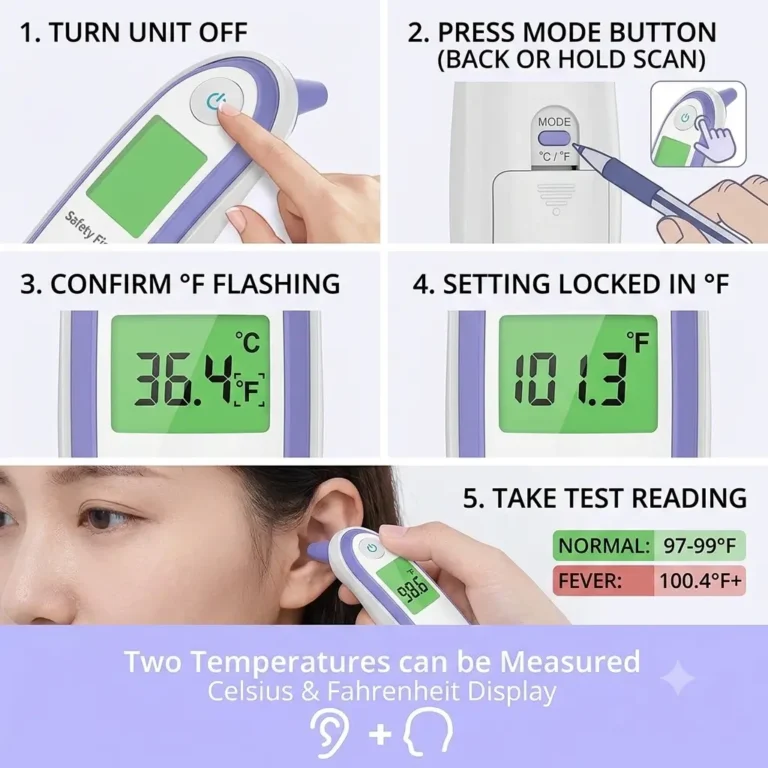
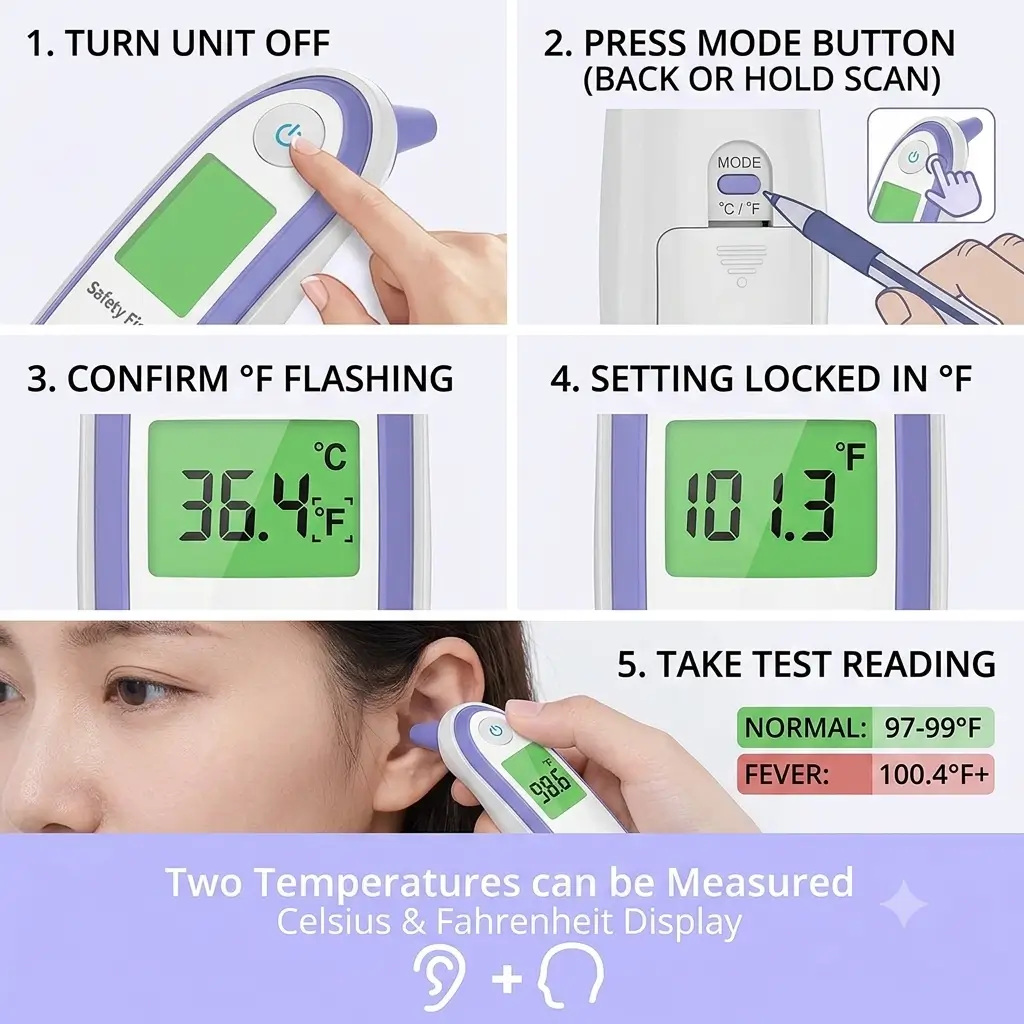
Step 1 — Power the thermometer fully off. The display should go blank. If it’s still showing a previous reading, press the power button once and wait a few seconds.
Step 2 — Find the toggle button. Most Safety First ear thermometer models have one of two mechanisms:
A small recessed button on the back panel labelled °C/°F or MODE — press this once to toggle
No dedicated back button — in this case, press and hold the main scan button on the front for five seconds while the unit is powered off
Step 3 — Hold until the display flashes. Hold the relevant button for a firm three to five seconds. You should see the display briefly illuminate and show either °C or °F switching over. Release once you see it change.
Step 4 — Power on and confirm. Switch the thermometer on normally. Check the top corner of the display for the °F symbol before taking any reading. If it now shows °F, take a quick test reading from your own ear — a normal adult result should land between 97°F and 99°F.
If it still shows °C after following these steps, the most likely reason is low battery causing the setting not to save — which brings us to the next section.
How to Reset Your Safety First Ear Thermometer
A full reset is worth trying when the C to F toggle isn’t saving, readings remain inconsistent after correcting your technique, or the unit is behaving oddly in ways that don’t fit any single explanation.
Remove the batteries completely. Open the battery compartment on the back and take the batteries out. Don’t just hold the power button — physically remove them.
Wait 60 seconds. This clears any residual charge from the capacitors and forces the internal settings to fully reset. Thirty seconds is often enough, but sixty is the safer number.
Insert fresh batteries. Don’t reinstall the old ones to test — put new batteries in. An almost-dead battery is often what caused the problem in the first place, and testing a reset with weak batteries will give you inconclusive results.
Power on and re-toggle to °F. Follow the C to F fix steps above with the fresh batteries in place. The setting should now hold between uses.
Test with a known-healthy adult. Take two or three readings from your own ear (or another adult’s) with a gap of a minute between each. Consistent results in the 97–99°F range confirm the reset and recalibration have worked. If results vary by more than 0.5°F between consecutive readings with correct technique, the unit may have a sensor issue.
Other Reasons for Inaccurate Ear Thermometer Readings (Beyond the Settings)
Once you’ve confirmed the °C/°F setting is correct and the batteries are fresh, inaccurate readings usually come down to technique or maintenance.
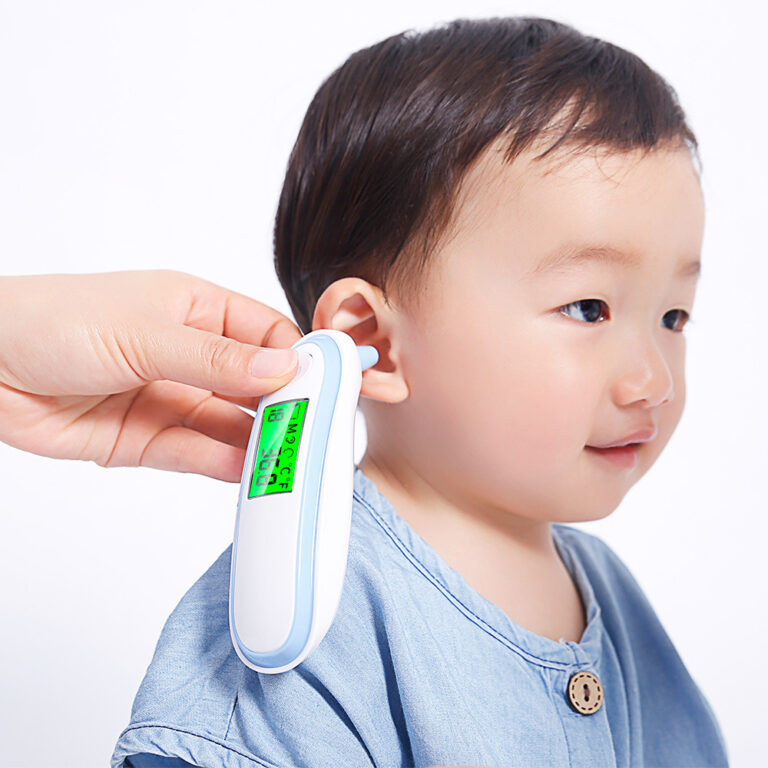
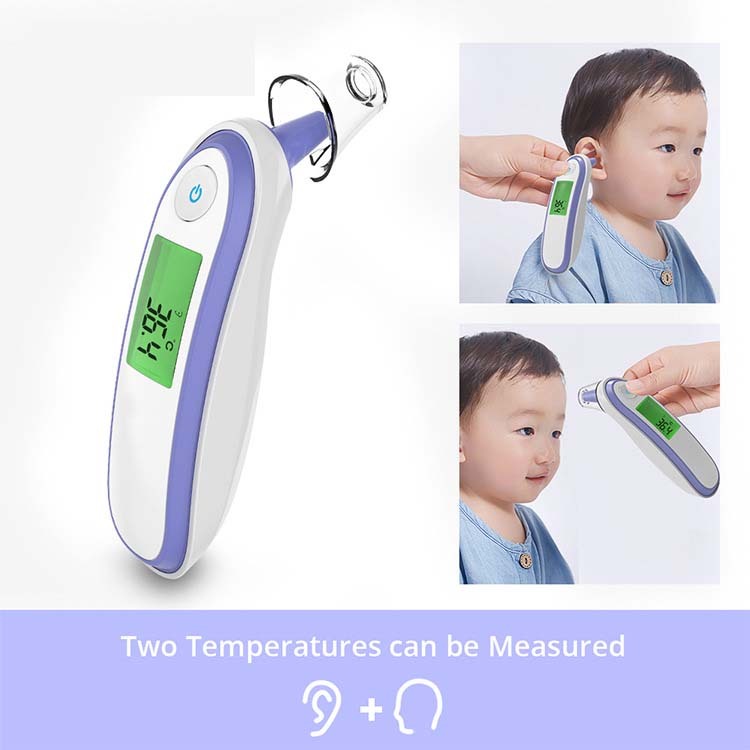
Probe positioning in the ear canal. This is genuinely the most underestimated factor. For adults, gently pull the outer ear upward and back before inserting the probe — this straightens the ear canal and gives the sensor a clear line to the eardrum. For children under one, pull the ear gently back and down. The probe tip should be angled toward the eye on the same side of the face, not straight into the head. A reading taken without this alignment will almost always be lower than accurate.
Earwax on the probe lens. The infrared lens at the tip of the probe needs to be clean to read accurately. If there’s visible wax, skin cells, or debris on it, clean it gently with a dry cotton swab or the soft tip of a lint-free cloth. Don’t use water or alcohol directly on the lens — it can affect the sensor coating on some models.
Temperature of the ear itself. An ear that’s been lying against a pillow, pressed against a phone, or exposed to cold air gives a temporarily skewed reading. Wait five to ten minutes after any of these situations before taking a temperature if accuracy matters.
Taking a reading too soon after being outdoors. If you or your child just came in from cold weather, the ear canal needs time to return to body temperature. Most guidelines suggest waiting around fifteen minutes in these cases.
When to Trust the Reading and When to Question It
A thermometer reading should always be cross-referenced with how the person actually looks and feels. An ear thermometer showing 101°F in someone who is pale, lethargic, or clearly uncomfortable is a reading worth acting on. The same reading in someone who’s running around normally and eating fine warrants a second check before any concern.
Take three readings with a one-minute gap between each. If all three are within 0.3–0.5°F of each other, the thermometer is performing reliably and the middle reading is your most accurate. If results vary widely across consecutive readings with no change in technique, the sensor may be failing — at which point replacement is more practical than continued troubleshooting given the cost of these units.
Frequently Asked Questions
My thermometer shows numbers in the 96–98 range but I’m sure my child has a fever — what’s happening?
If the unit is confirmed to be in Fahrenheit, readings in this range suggest the probe wasn’t positioned correctly in the ear canal during the reading. Retake it using the technique described above — pull the ear gently upward and back, angle the probe toward the eye on the same side, and hold still until the beep.
Why does my Safety First thermometer keep switching back to Celsius after I change it?
Almost always a low battery issue. The unit can’t save settings when battery power drops below a certain threshold. Replace the batteries with fresh ones and re-toggle to Fahrenheit — it should hold from that point forward.
Is there a dedicated reset button on Safety First ear thermometers?
No. There is no single reset button. The full reset process involves removing the batteries completely, waiting sixty seconds, and reinstalling fresh ones as described above.
The display shows “Lo” — is that a temperature unit problem?
No. “Lo” means the reading fell below the thermometer’s measurable range (below approximately 89.6°F / 32°C), which almost always means the probe wasn’t sealed in the ear canal properly during the reading. It’s a technique issue, not a settings issue.
Can I use this thermometer rectally or under the arm for more accuracy?
Safety First ear thermometers are designed specifically for ear use only. For rectal or axillary (underarm) readings, you need a thermometer rated and designed for those methods — using an ear thermometer in other ways gives unreliable results and isn’t recommended.
Final Thoughts
A Safety First ear thermometer showing the wrong temperature is stressful in the moment, but in the vast majority of cases it’s a fixable problem rather than a broken device. Start with the °C to °F setting, replace the batteries if the fix doesn’t hold, and review your technique if readings still feel inconsistent. Nine times out of ten, one of those three steps resolves it completely.
If you’ve worked through everything here and results are still all over the place, that’s a reasonable point to replace the unit rather than continue troubleshooting. These thermometers are affordable enough that a replacement is a more practical call than ongoing uncertainty about accuracy when it’s being used for a child’s health.